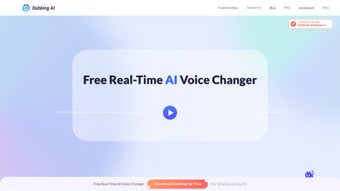

Download Dubbing AI – Real‑time AI Voice Changer for Streamers, Gamers & Chatters
Overview: What Is Dubbing AI and Why It Matters
Dubbing AI is a free, real‑time AI voice changer that lets you swap your natural voice for any of more than 1,000 distinct AI voices spanning over 100 languages. Whether you’re chatting with friends, participating in a live‑stream, or creating immersive content for platforms like Twitch, YouTube, Discord, or Zoom, Dubbing AI inserts a layer of personality and anonymity that traditional voice‑modulation tools simply can’t match. Powered by deep‑learning speech synthesis, the app reproduces the tonal nuances, pitch, and emotional cadence of each avatar, from iconic anime protagonists to legendary game characters.
This means you can sound like a heroic knight, a mischievous anime heroine, or a charismatic game master with just a click, all while keeping the latency low enough for real‑time conversation. The tool is especially valuable for streamers looking to differentiate their channel, educators wanting to protect their identity, or gamers who love role‑playing. Dubbing AI also supports integration with popular streaming software (OBS, Streamlabs) and voice‑chat applications (Discord, Teamspeak), making it a versatile addition to any digital interaction toolkit.
The platform operates on a secure registration system that only requires an email address, ensuring that your voice data stays private and is processed locally whenever possible. The developers recommend using headphones to avoid echo or background noise, which can interfere with the AI’s voice synthesis pipeline. Dubbing AI’s free tier provides unlimited access to its core library, while optional premium packs unlock exclusive character voices and higher‑quality audio output. In short, Dubbing AI delivers a seamless, immersive, and fun voice‑changing experience that feels both professional and playful.
Key Features That Set Dubbing AI Apart
- Over 1,000 AI Voices: A massive library covering more than 100 languages, dialects, and regional accents.
- Real‑time Processing: Low‑latency voice transformation suitable for live chat, streaming, and gaming.
- Anime & Game Avatar Collection: Iconic characters from popular series and video games, constantly updated.
- Cross‑Platform Compatibility: Works with Windows, macOS, Android, and iOS via dedicated clients or browser extensions.
- Seamless Integration: Plug‑and‑play with OBS, Streamlabs, Discord, Zoom, Teamspeak, and other voice‑enabled apps.
- Customizable Audio Settings: Adjustable pitch, speed, and background noise suppression for fine‑tuned results.
- Secure Cloud‑Free Option: Optional offline mode that processes audio locally to protect privacy.
- Free Core Access: Unlimited use of the basic voice library without hidden fees.
- Premium Voice Packs: Exclusive, high‑fidelity character packs available for purchase.
- Regular Updates: Monthly additions of new voices, languages, and bug‑fixes.
Beyond the raw numbers, Dubbing AI’s AI engine leverages transformer‑based models that can emulate emotional intonation, making each voice feel authentic. The platform also includes a “voice‑match” feature that lets you quickly preview how a line of text sounds in any selected avatar before going live. For creators, the ability to switch voices on the fly without restarting the application is a game‑changer, ensuring that audience engagement stays high while production stays smooth.
Another notable feature is the built‑in community hub where users can share custom voice configurations, suggest new characters, and vote on upcoming updates. This community‑driven approach ensures that the voice library evolves in line with user demand, keeping Dubbing AI fresh and relevant in the fast‑moving world of streaming and gaming.
Installation, Compatibility & Step‑by‑Step Usage Guide
System Requirements & Supported Operating Systems
Dubbing AI offers native clients for Windows 10/11 (64‑bit), macOS 11+ (Intel & Apple Silicon), Android 8.0+, and iOS 13+. The web version works on any modern browser (Chrome, Edge, Firefox, Safari) with WebRTC support.
How to Download and Install
- Visit the official Dubbing AI website and click the “Download” button matching your OS.
- Run the installer (EXE for Windows, DMG for macOS, APK for Android). iOS users install via the App Store.
- After installation, launch the app and create a free account using a valid email address.
- Verify your email through the link sent to your inbox. This step unlocks the full voice library.
- Optional: Purchase premium voice packs from the in‑app store if you need exclusive characters.
Configuring Dubbing AI for Your Preferred Platform
Once installed, follow these steps to integrate Dubbing AI with your favorite streaming or chat application:
- Set Audio Input: In Dubbing AI’s settings, select “Microphone (Dubbing AI Virtual Device)” as your input source.
- Choose Output Device: For the best experience, route the output to your headphones to prevent feedback loops.
- Link to Software: Open OBS/Streamlabs, go to Audio Settings, and replace the default mic with the Dubbing AI virtual device.
- Select a Voice Avatar: Browse the voice library, preview a sample, and click “Apply.” The voice will now replace your natural speech in real time.
- Live Testing: Use Discord or a private Zoom call to test latency and clarity before going live.
For mobile users, the app automatically creates a virtual mic that can be selected in Discord, Twitch, or any supported app’s audio settings. Remember to enable “Headphone Mode” in the app’s audio tab to minimize echo. The UI is intuitive: a left‑hand sidebar lists categories (Anime, Games, Languages), a central preview window shows real‑time waveform, and a bottom bar provides quick sliders for pitch and speed adjustments.
Finally, Dubbing AI’s “Auto‑Switch” feature lets you bind voice changes to hotkeys (e.g., F1‑F12). This is perfect for streamers who want to jump between characters on the fly without navigating menus, keeping the audience engaged and the gameplay uninterrupted.
Pros & Cons, FAQ, and Final Verdict
Pros
- Extensive library of over 1,000 voices and 100+ languages.
- True real‑time processing with minimal latency.
- Free core version provides unlimited access to essential features.
- Cross‑platform support for Windows, macOS, Android, and iOS.
- Easy integration with popular streaming and voice‑chat tools.
- Customizable pitch, speed, and noise suppression.
- Secure registration and optional offline processing.
- Active community for voice packs and feature requests.
Cons
- Premium voice packs can be pricey for casual users.
- Initial setup may be confusing for non‑technical users.
- High‑quality output requires a decent CPU/GPU on older machines.
- Headphone recommendation can be restrictive for those without spare devices.
Frequently Asked Questions
Is Dubbing AI really free?
Yes, the core application and the entire library of 1,000+ voices are completely free. Premium voice packs are optional and sold separately.
What is the latency like during live streaming?
Dubbing AI processes audio in under 100 ms on a typical modern PC, which is imperceptible for most live‑streaming scenarios.
Can I use Dubbing AI on mobile devices?
Absolutely. Dedicated apps are available for Android and iOS, and they work with mobile versions of Discord, Twitch, and other voice‑chat platforms.
Is my voice data stored on the cloud?
By default, Dubbing AI processes audio locally. If you enable cloud‑based features (like backup of custom presets), the data is encrypted and stored securely.
How do I switch voices quickly during a stream?
Use the built‑in hotkey manager to assign specific voices to function keys (F1‑F12). Pressing a hotkey swaps the voice instantly without opening the UI.
Review Summary
Rating: ★★★★☆ (4.5/5)
Dubbing AI delivers an impressive blend of quantity, quality, and flexibility. The free tier is generous enough for most creators, while the premium packs offer niche character voices for power users. Setup may require a short learning curve, but the payoff in audience engagement is well worth it.
Conclusion & Call to Action
If you’re a streamer looking to add a memorable twist to your content, a gamer who loves role‑playing, or anyone who simply enjoys experimenting with voice avatars, Dubbing AI is the tool you’ve been waiting for. Its extensive voice catalog, real‑time performance, and cross‑platform reach make it a standout in the crowded voice‑changing market. Download Dubbing AI today, register with your email, and start turning your conversations into immersive experiences. Don’t forget to explore the premium voice packs for that extra wow factor—your audience will thank you!



.png)



